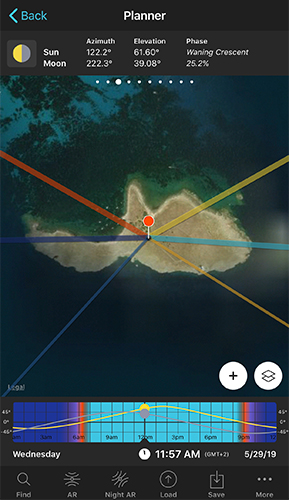
This panel gives you the azimuth (compass direction) and elevation (height above the horizon) of the Sun and Moon for the Red Pin's location, at the date and time set on the Time Bar.
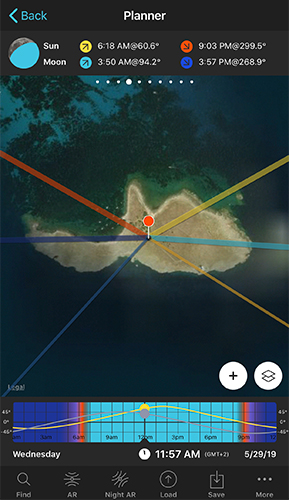
Swipe to this panel for the exact time and direction the Sun and Moon rise and set at the Red Pin, on the selected date. Useful for lining up a shot with the horizon in a specific direction.
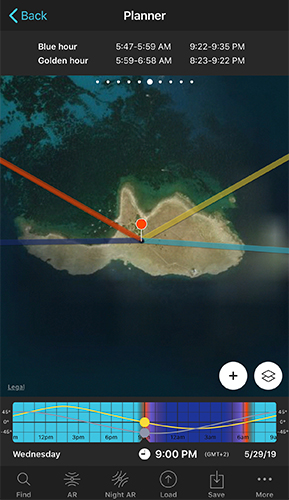
- 5Panel 5: TwilightsCivil, nautical, and astronomical twilight time ranges — each one a little darker than the last.
- 6Panel 6: Golden hour & blue hourThe two windows most landscape and portrait photographers plan around.
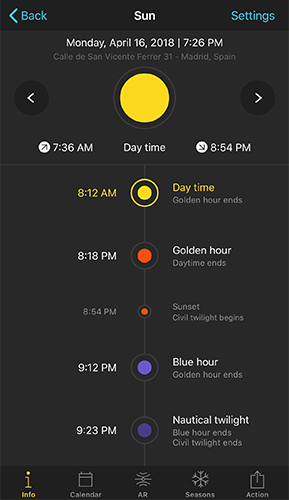
Open the Sun Pill from the Pills menu and tap Info. It lays out every light event for the day — sunrise, golden hour, sunset, blue hour, twilight — in a simple vertical timeline. Scroll down for azimuth, elevation, daylight length, and more.
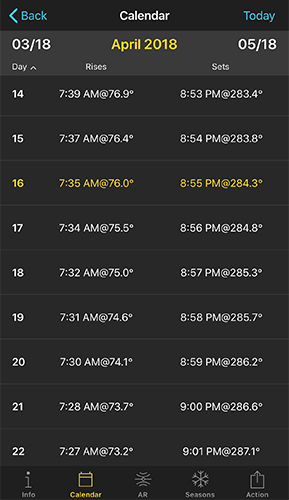
Tap Calendar to see sunrise and sunset times — with azimuth — for every day of the month. Swipe left or right to change months, or tap a date to jump straight to that day's Info screen.
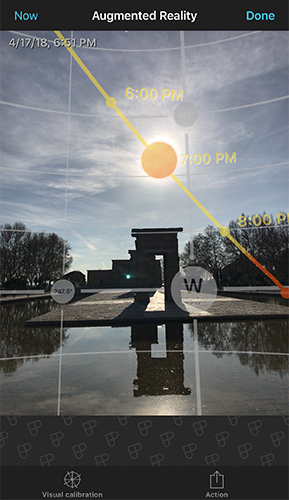
Tap AR and point your phone at the real scene in front of you. PhotoPills draws the Sun's path directly onto your camera view, with time markers along the arc — so you can see exactly where it'll be at 6pm, 7pm, 8pm, before you ever press the shutter.